
How To Block Companies like TikTok, Facebook etc From Tracking You
Companies like TikTok and Facebook can track you even if you don’t have an account with them.

nanadwumor
-
Tracker-centric extension with adaptive blocking
-
Two methods: shared updates or optional personal learning
-
Works on Chromium and Firefox browsers
-
Extra safety via trusted VPNs; email images may track too
RECOMMENDED ARTICLES

How To Clean a Projector’s Screen Properly and Effectively Without Damage
Note that wiping should be done only horizontally but not in circles. This is to protect the delicate lenticular coating of the projector screen. Alternatively, you can wipe vertically. Flush...

Top 5 Reasons Why PCs Usually Crash. You Must Know!
There are quite a number of common reasons why your Windows PC will crash. Hardware Conflict Bad RAM BIOS Settings Hard Disk Drives Viruses RECOMMENDED ARTICLES We all experience it at least...

How To Clean a TV Screen Properly and Effectively Without Damage
Take the microfiber cloth and gently rub the surface of the TV set in circles to remove dust, smudges and any streak of unwanted trace. You may have to gradually increase pressure in order to get rid of obdurate stains. [Sassy_Social_Share title="Sharing is Caring"...
On April 24, President Biden approved a law that could ban TikTok in the U.S. unless its American operations are sold to a domestic company. The move focuses on protecting user data, as TikTok collects extensive personal information, and concerns exist that the Chinese government could access it.
Even without a TikTok account, your online activity can be monitored. Ads, tracking scripts, and hidden pixels on websites and emails allow data brokers to gather information about purchases and habits. Major companies, including Meta, openly track users across the web.
Tools are available to detect when and how your activity is being monitored, helping you understand who is collecting your data.
Right now, online monitoring mainly happens in two ways. One approach is being phased out, while the other works more quietly and is harder to notice.
You’ve likely encountered browser-based storage before. It helps sites remember things like sign-in details so repeated access is easier. Beyond this helpful role, outside parties can also place their own identifiers to follow your activity across multiple pages and later trade that information.
This type of surveillance became more visible after regulations forced websites to ask for permission, especially across Europe and some regions elsewhere. Those pop-ups may be irritating, but they made this practice clearer and simpler to restrict. With major tech firms planning to eliminate this method, information collectors had to adapt.
That led to a newer tactic. Instead of small data files, this system relies on tiny, unseen images embedded into pages or messages. When your browser loads them, a signal is sent back, revealing what content you viewed and the timing of your visit.
This is a case where rules exist in theory but not in practice. The idea of protection still stands, yet clear regulations around image-based monitoring are mostly missing. As a result, people who relied on stricter controls over older methods must once again be alert about information exposure.
Today, certain website features arrive with built-in code that can observe behavior far more deeply than earlier techniques ever allowed.
One advantage of embedded monitoring code is visibility: careful inspection reveals active observation.
Hidden image beacons leave identifiable markers inside page structure. By opening developer tools through a context menu, those markers become noticeable across most popular browsers, though Apple’s option requires extra steps.
Still, manual checks demand effort and technical comfort. Dedicated utilities simplify detection and explain what each discovered element actually does.
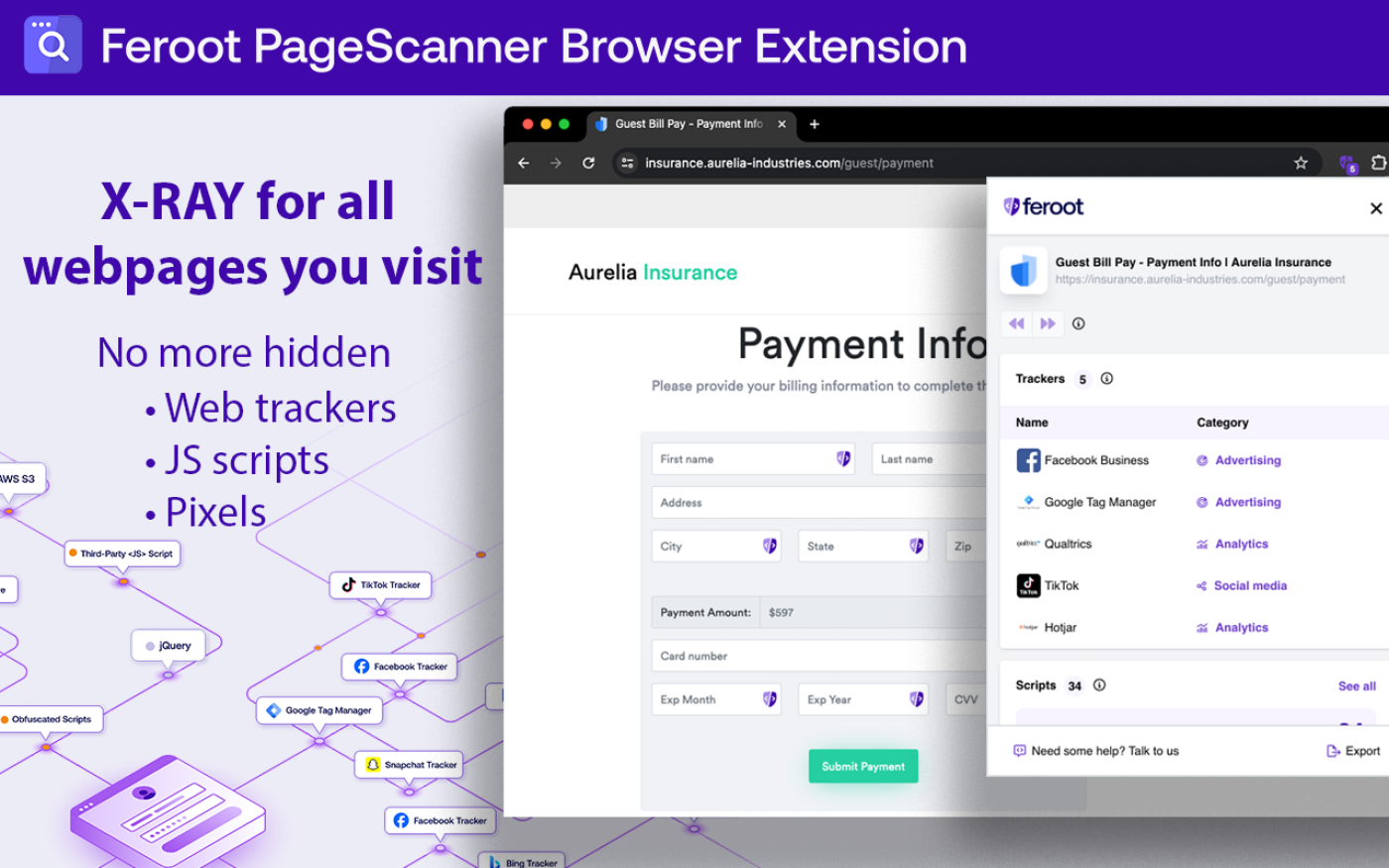
A newer and highly capable option comes from Feroot, offering a no-cost browser add-on for Chrome created by experts who previously addressed U.S. lawmakers during hearings about TikTok.
This tool focuses on instant awareness rather than prevention. Alerts appear as pages load, showing surveillance activity and the organizations behind it. A built-in dashboard lists every active monitoring component, explains its role, and displays running scripts without opening developer panels.
Although originally designed for corporate audits and regulatory checks like PCI standards, it works well for everyday users. It clearly exposes how widespread digital surveillance has become.
According to Feroot’s chief executive, Ivan Tsarynny, attention placed solely on TikTok misses a much broader issue.
After recognizing how widespread digital surveillance can be, several solutions allow you to regain authority over personal exposure. The simplest options come as add-ons that sit quietly within your web software.
Ghostery functions similarly to PageScanner but adds an enforcement layer by limiting monitoring activity. The trade-off is reduced detail: it identifies sources and intentions behind tracking but lacks instant alerts or script-sorting features. Tsarynny notes that running it alongside PageScanner may cause interference, so it’s better suited for responding after risks are identified.
You can use Ghostery either as a plug-in across common platforms or as a dedicated application with protections already enabled. It also offers a search service built around anonymity, accessible as an add-on or through a separate site.
For those avoiding installations, Ghostery maintains whotracks.me, which reveals monitoring activity across the web.
Despite its transparent codebase, the project previously drew criticism over monetization practices involving user information and ad substitution. Following a 2017 takeover, the company says it now relies entirely on voluntary community support, according to an emailed statement from its team.
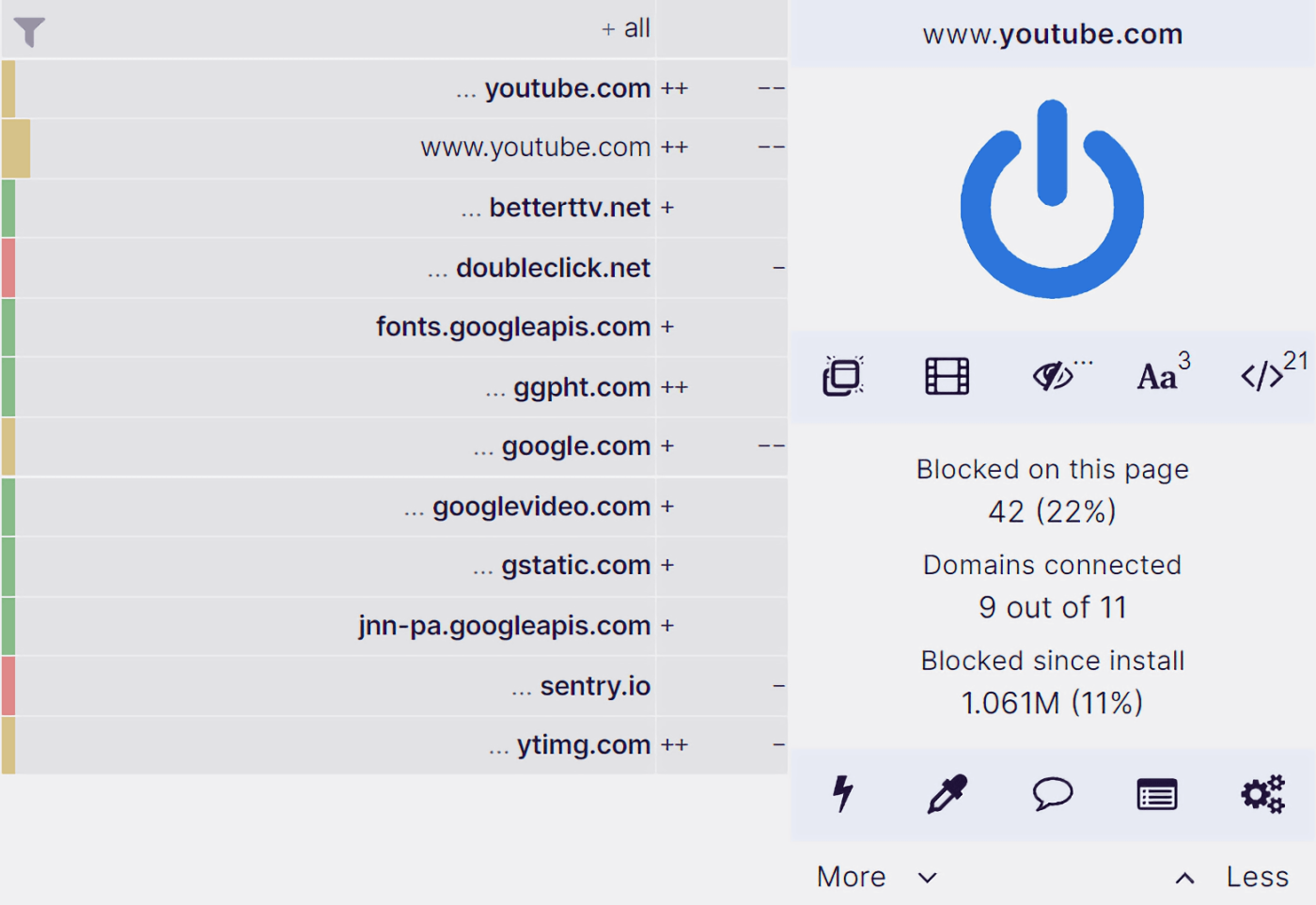
Another option comes from a community-built filtering tool that focuses on maximum control. It demands more effort to learn than alternatives like Ghostery, yet nothing matches its strength. Nearly every page component can be removed with extreme accuracy. Preset rule collections are included, and custom rule sets can also be added. The drawback is limited insight: instead of explanations, it only displays raw blocked items, assuming technical familiarity. It runs as an add-on for Chrome-based software and Mozilla’s platform.
A different approach comes from a privacy-first brand best known for web searching. Beyond search, it offers both a plug-in and a full browsing app that prevent hidden monitoring. Its detection logic is publicly visible for review, though one limitation exists: promotional content stays visible unless it also performs surveillance.
This balance suits some users—for example, those wishing to support independent video creators. The layout is beginner-friendly, clearly summarizing stopped requests, their origins, and whether encryption is active. One inconvenience is that it replaces your default lookup service while enabled. Versions exist for Chrome-based browsers, Firefox, and Apple’s ecosystem.

Another option mirrors advanced content filters but concentrates on surveillance rather than promotions. Its code is publicly accessible, yet the dashboard offers minimal insight into monitoring behavior. Commercial content remains visible unless it secretly observes activity. The standout feature is adaptive defense. Protection improves gradually in two ways: updates pushed by its creators after analyzing invasive techniques worldwide, or an optional self-training mode based on personal navigation patterns. That second mode can slightly increase fingerprinting risk, though it helps when visiting obscure pages. Support exists for Chrome-based systems and Mozilla software, with the learning switch adjustable in settings.
Beyond add-ons and protective sites, encrypted routing services provide a different layer of defense. These tools disguise online activity by masking network identity through alternate servers. Reliable versions usually require payment, though limited no-cost plans exist. Caution is essential with unknown providers, but trusted names like Proton Pass and TunnelBear offer safer entry points, even if features are fewer.
Hidden beacons are not limited to webpages—they also appear inside messages. One effective safeguard is disabling automatic media rendering in inboxes to prevent silent data signals.
Join Our Telegram Group
Join Our WhatSapp Group
You May Also Like…
How To Clean a Projector’s Screen Properly and Effectively Without Damage
Note that wiping should be done only horizontally but not in circles. This is to protect the...
Top 5 Reasons Why PCs Usually Crash. You Must Know!
There are quite a number of common reasons why your Windows PC will crash. [Sassy_Social_Share...
How To Clean a TV Screen Properly and Effectively Without Damage
Take the microfiber cloth and gently rub the surface of the TV set in circles to remove dust,...
0 Comments